SyncUp - Combined System of Mobile App and Backend System
SAAS
MOBILE APP
🎯 Role : UX/UI Designer
🛠️ Product : System & Mobile App Design
🕰️ Timeline : Aug 2024 - May 2025
⋆。𖦹°⭒˚。⋆
● Introduction: How is the current site data collection process?
Organizations with field operations rely heavily on on-site data collection.
On-site teams like Construction Workers, Surveyors and Inspectors, or Logistics and Delivery Teams are responsible for collecting data, identifying problem and reporting their findings back to the organization.
Let's take Site Inspectors who inspect sites and do compliance checks as an example and see how they works!
*Scroll to view the whole process જ⁀➴
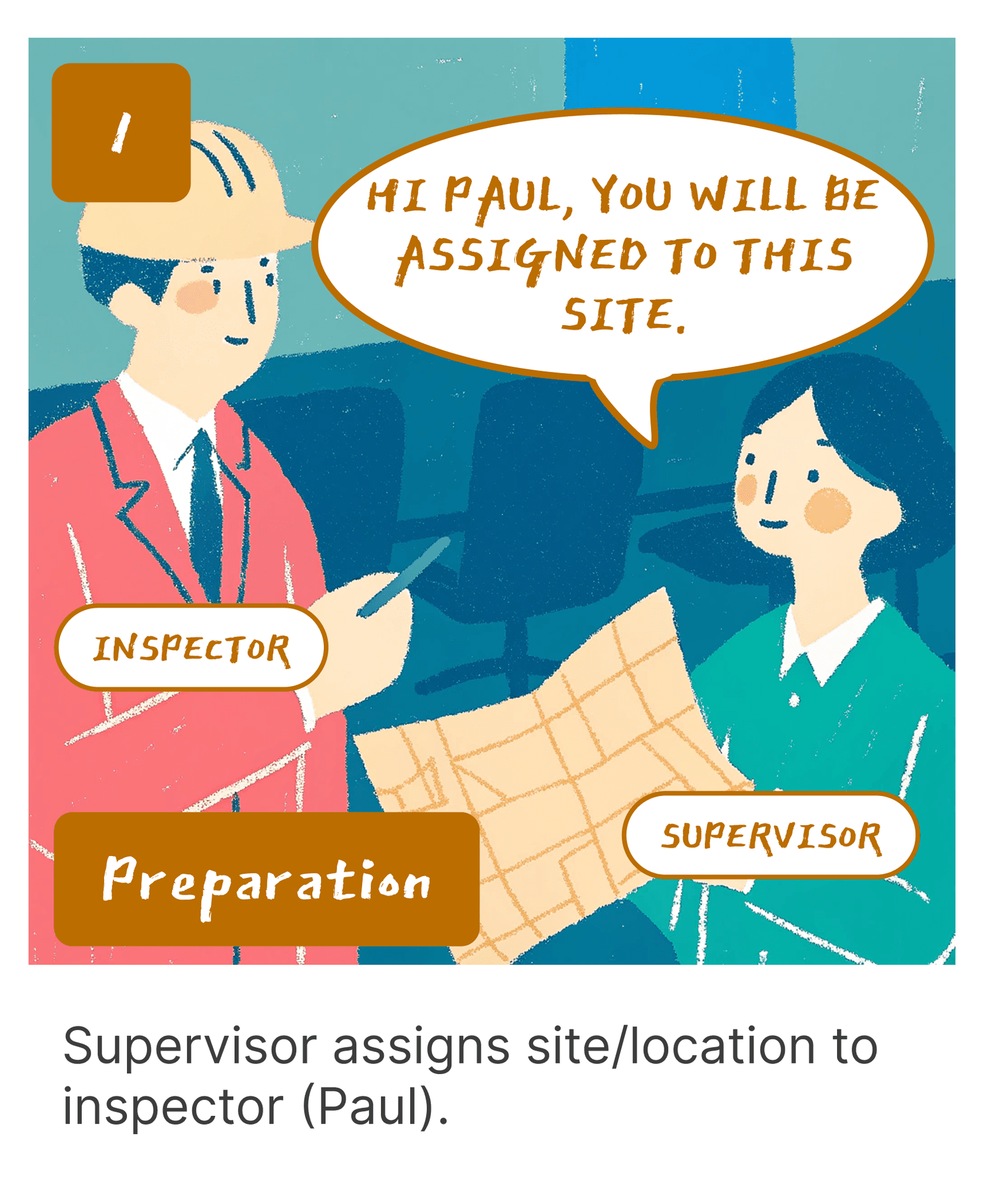

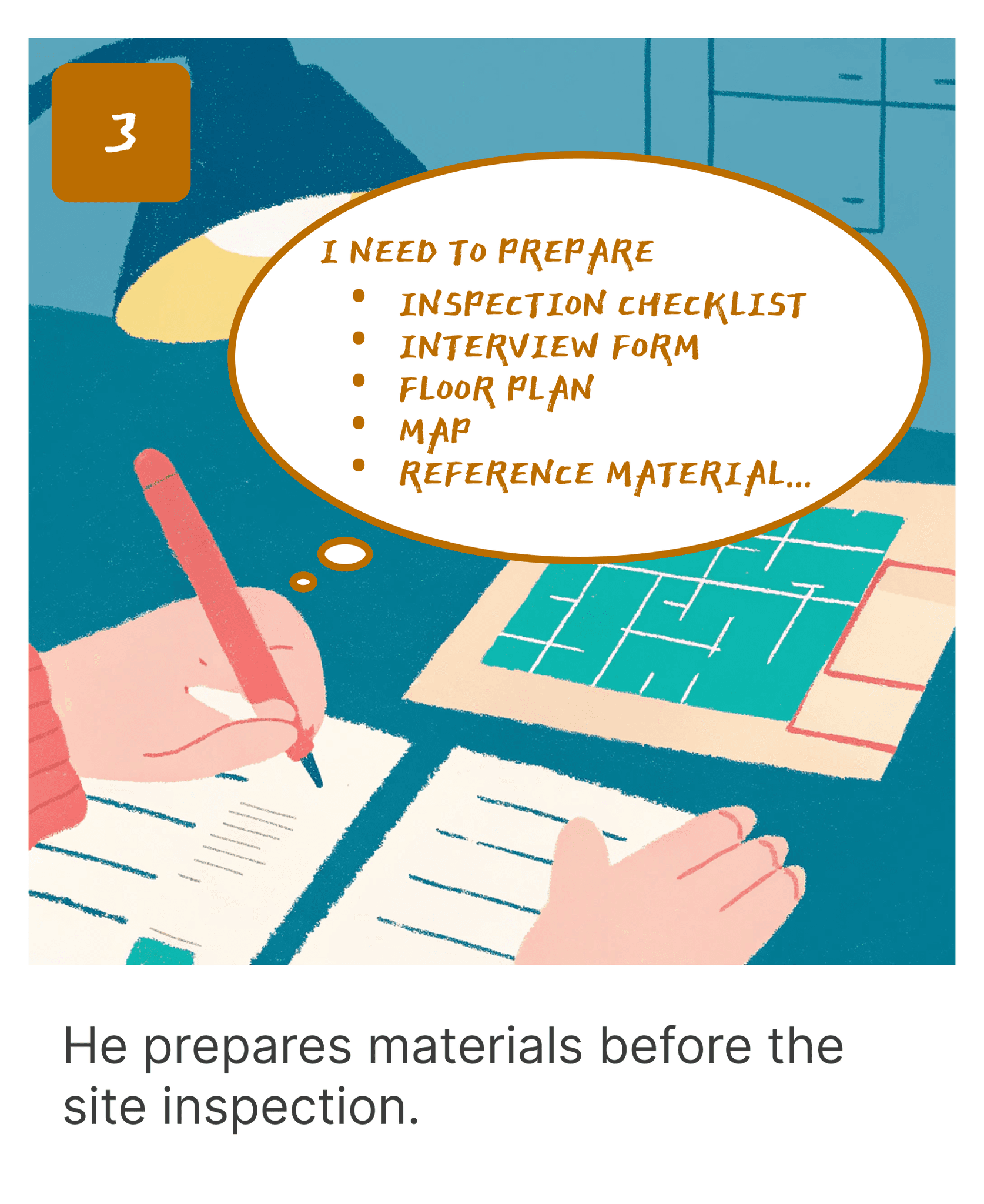
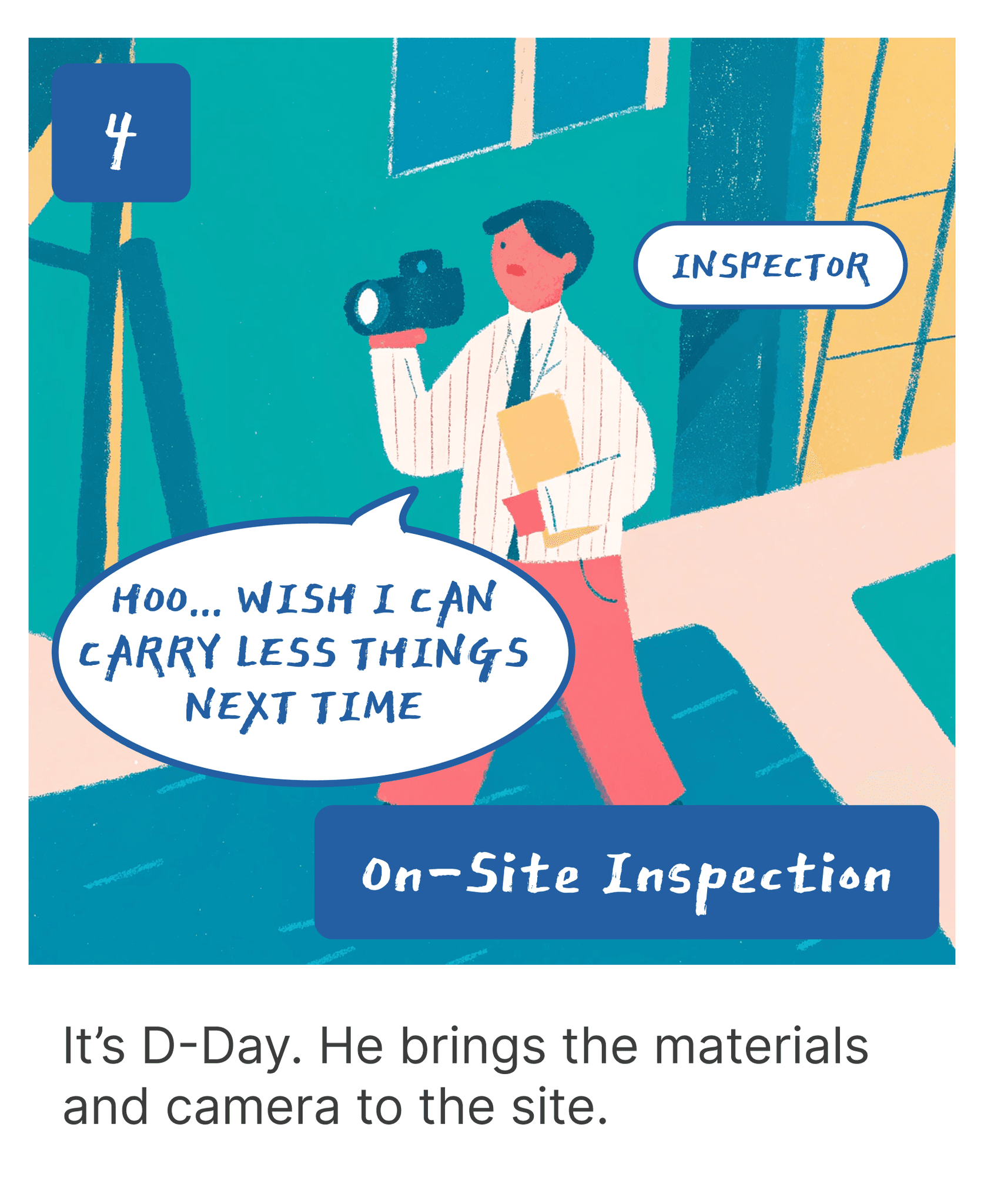
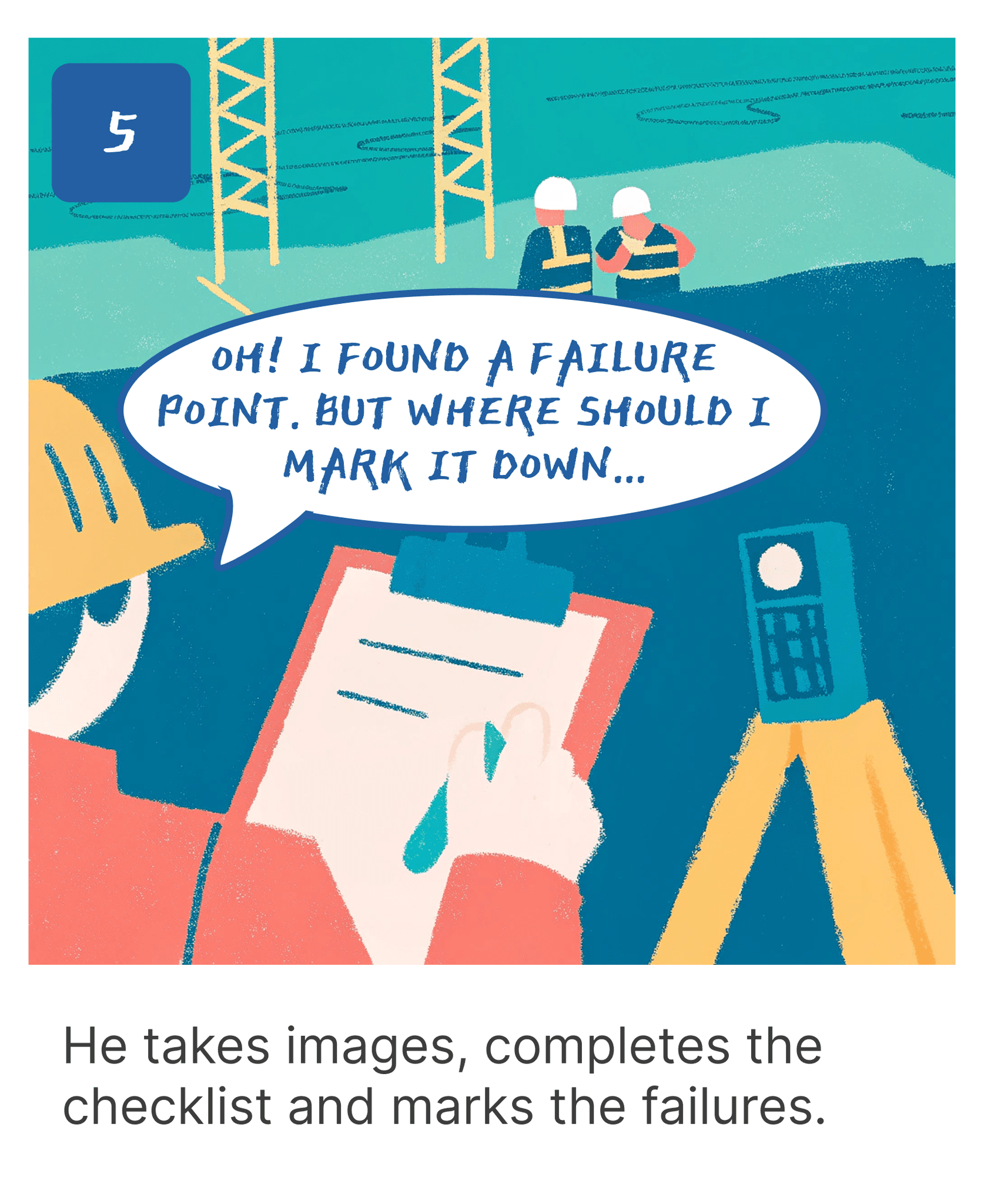


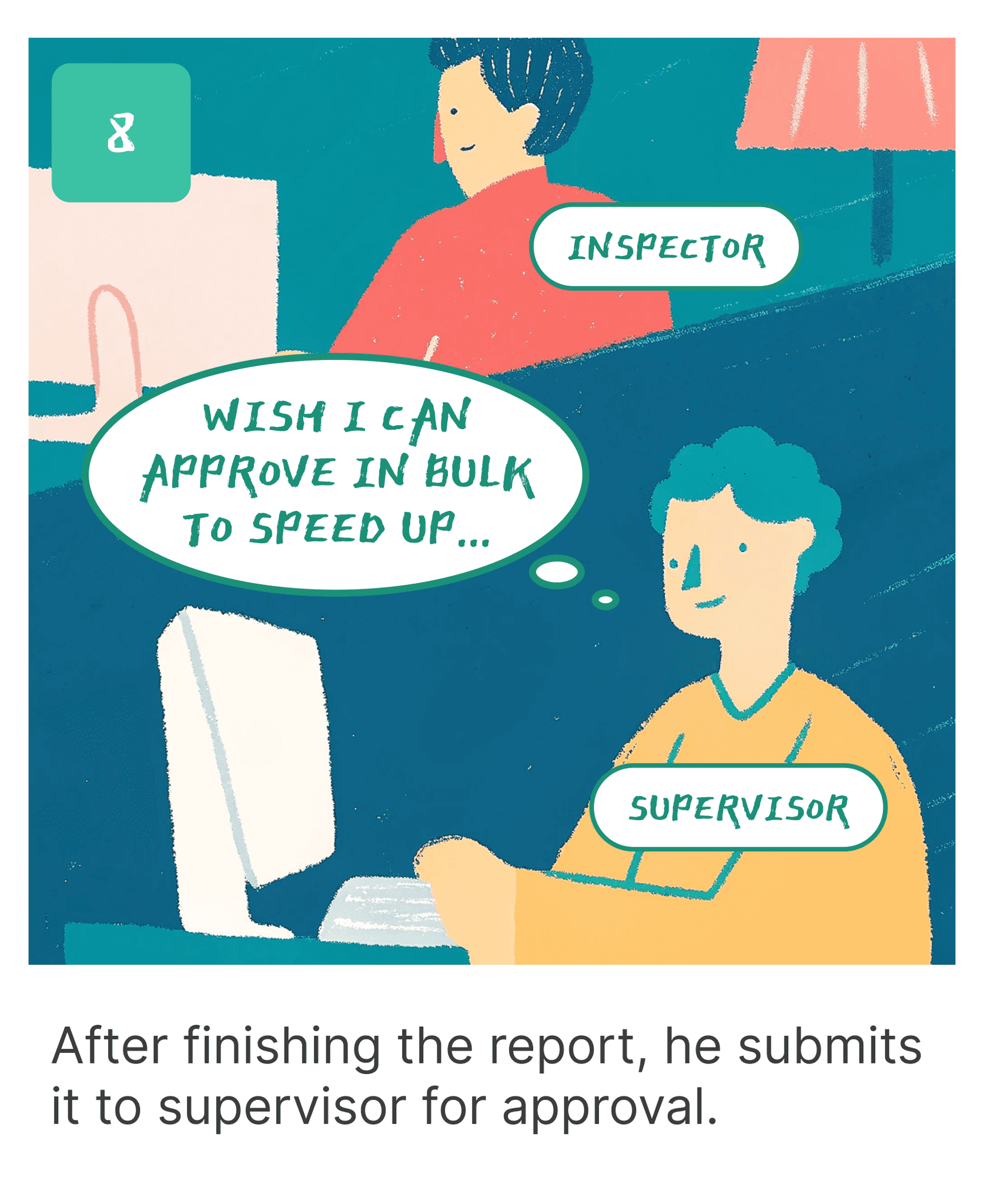

● Painpoints & Problems
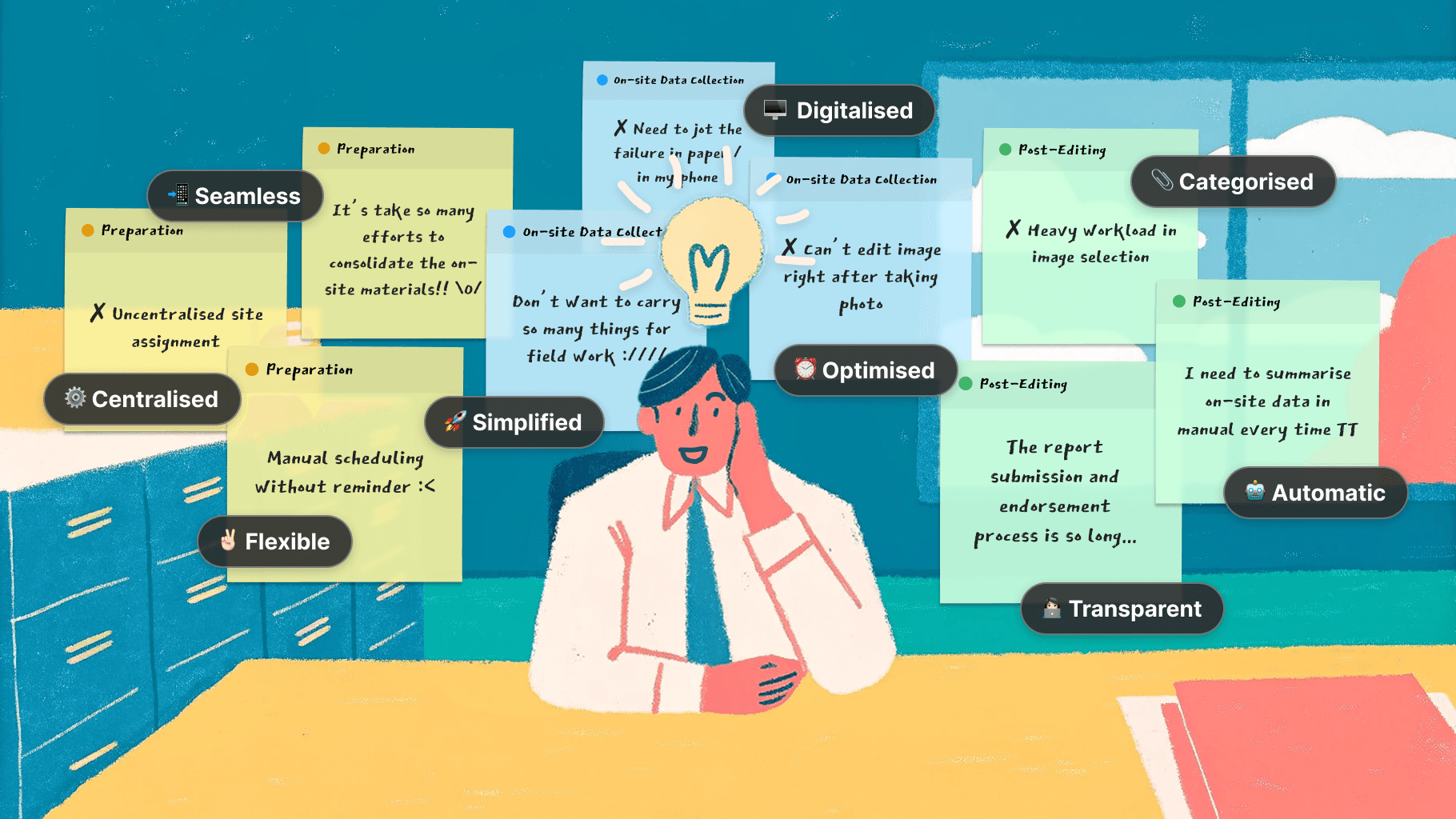
The process is too complex and demanding!!
Starting from Preparation, On-site Data Collection to Post-Editing, on-site teams relied on manual processes and disorganised workflows, which is time-consuming, error-prone, and inefficient.


● Strategy: How to solve the problem?
We need a simpler experience, replacing the manual process with a fully digital solution.
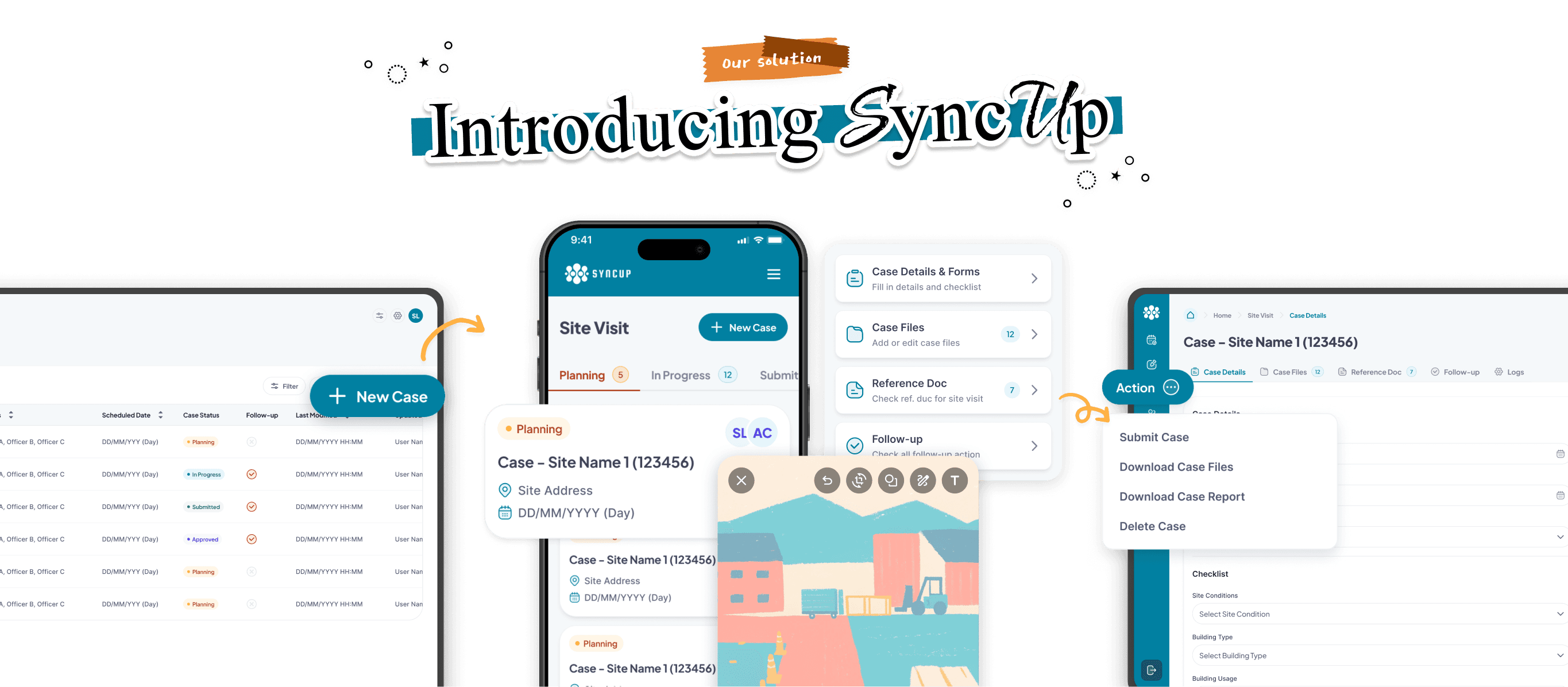
Reimagining the remote data collection process with Syncup streamlines operations by digitizing workflows, enabling on-site teams to efficiently manage data collection tasks without the hassle of manual paperwork.
● Preparation with Backend System
1️⃣ Centralised site data and assignment
Management teams can efficiently allocate site to On-Site team by providing a clear overview of site information and resource availability in one accessible location.
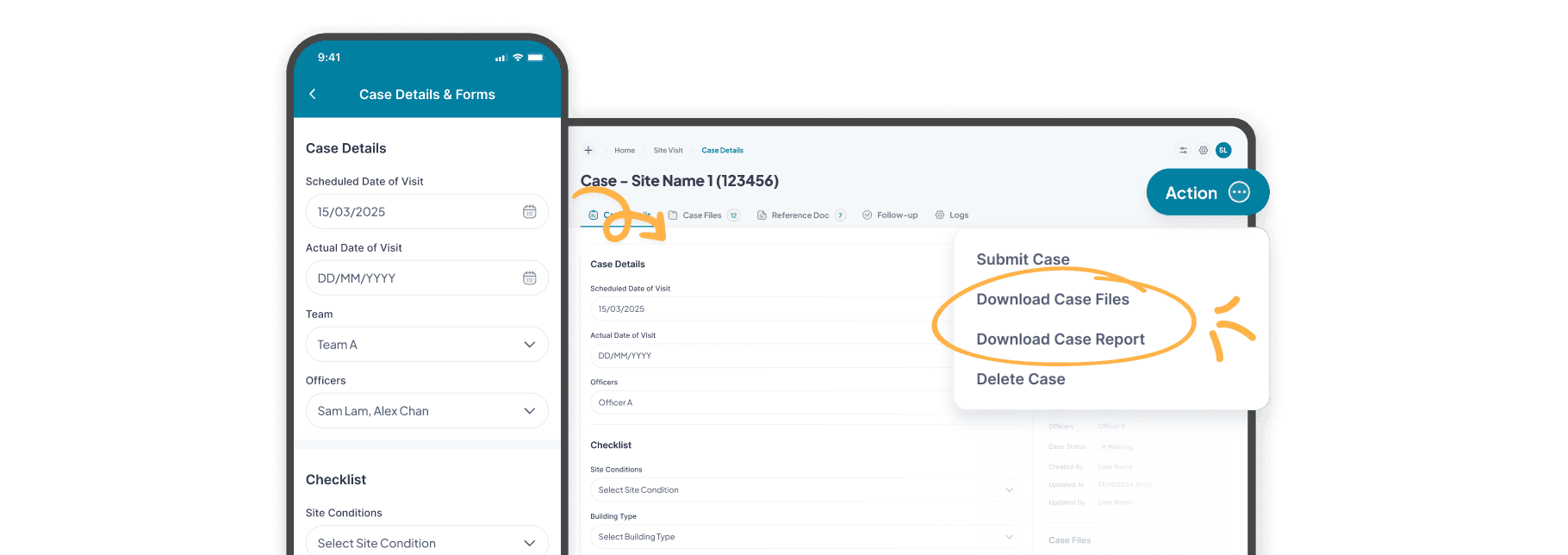
2️⃣ Creating and scheduling the Site Visit Case with auto-reminder and site reference materials in digital format
On-site teams can easily create site visit cases with automated reminders to ensure timely task completion. Digital site materials enable them to quickly access to essential information.
⋆。𖦹°⭒˚。⋆
● On-site Data Collection with Mobile App
3️⃣ Simplified the inspection workflow with an All-in-one App
Data sync from the backend system to the mobile app. On-site Teams can complete checklists, view maps, capture and edit images, map image taking locations, mark down follow-up items — all seamlessly with just a few tabs.
4️⃣ Optimised image editing and tagging for efficient on-site data collection
By allowing On-site teams to quickly capture, annotate, and add tag to the photos taken in site, it ensures clear documentation and enhances search efficiency, enabling inspectors to swiftly locate specific images using relevant keywords amidst a large collection.
5️⃣ Elevating data collection accuracy with photo location editor
The photo location editor supports detailed site documentation by allowing images and angles to be accurately mapped and recorded, helping on-site teams collect site data with more accurate visual references.
⋆。𖦹°⭒˚。⋆
● Post-Editing with Backend System
6️⃣ From data to report automatically in seconds
By automatically converts on-site data (checklist, images and follow-up remarks) into complete reports, it minimises manual effort and speeding up the reporting process
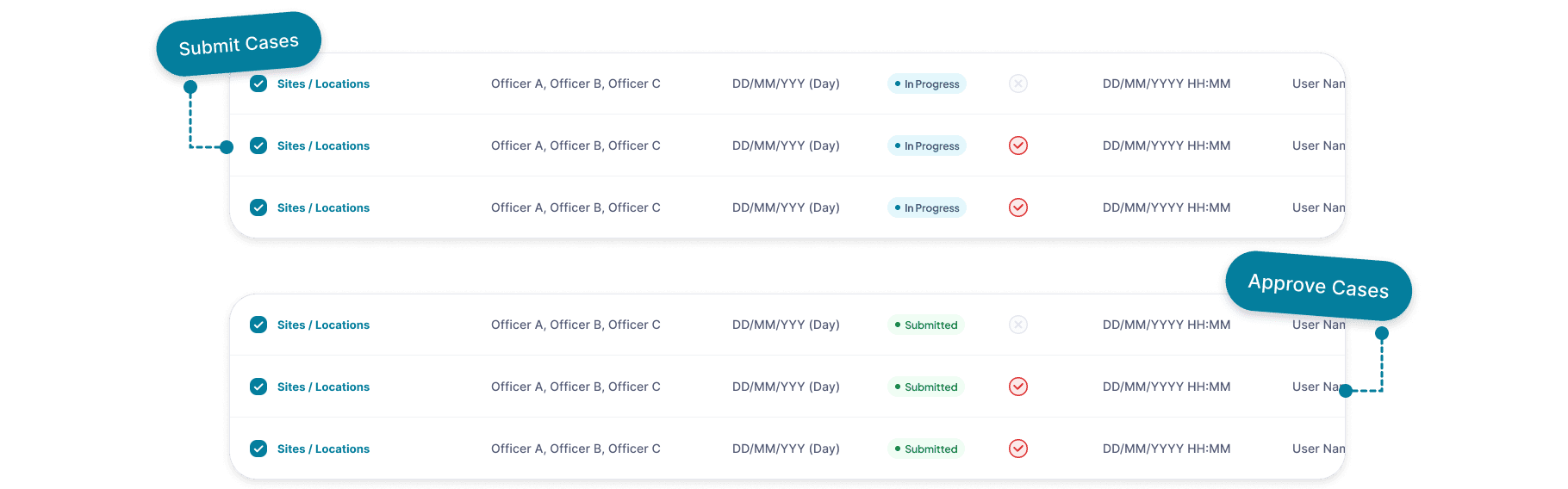
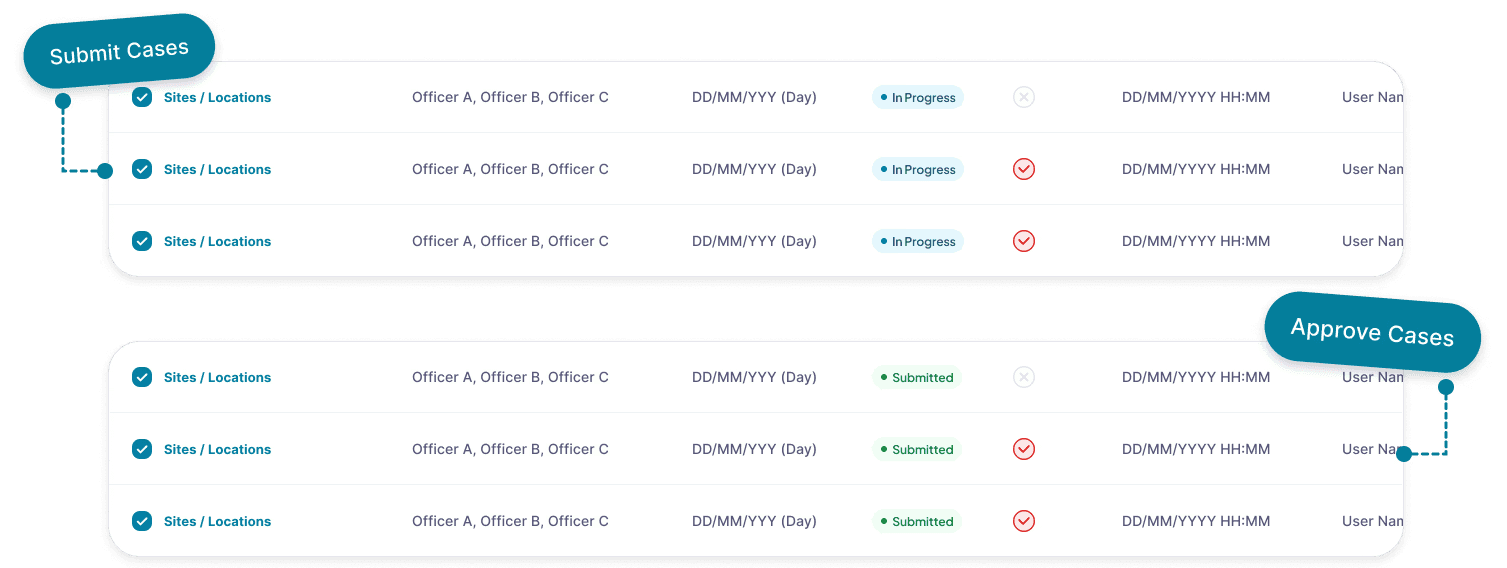
7️⃣ Transparent case management with status tracking and bulk approval
Bulk approving site visit cases and status chips improve workflow by providing efficient approval processes and transparent status tracking.

● How we came up the solution?
Our journey on crafting a solution was dynamic, by narrowing down the ideas into a practical and user-centered design.
Through continuous research and regular meetings with users, we have tackled challenges progressively. To understand the whole picture, let's backtrack to the beginning!

● Research & Finding
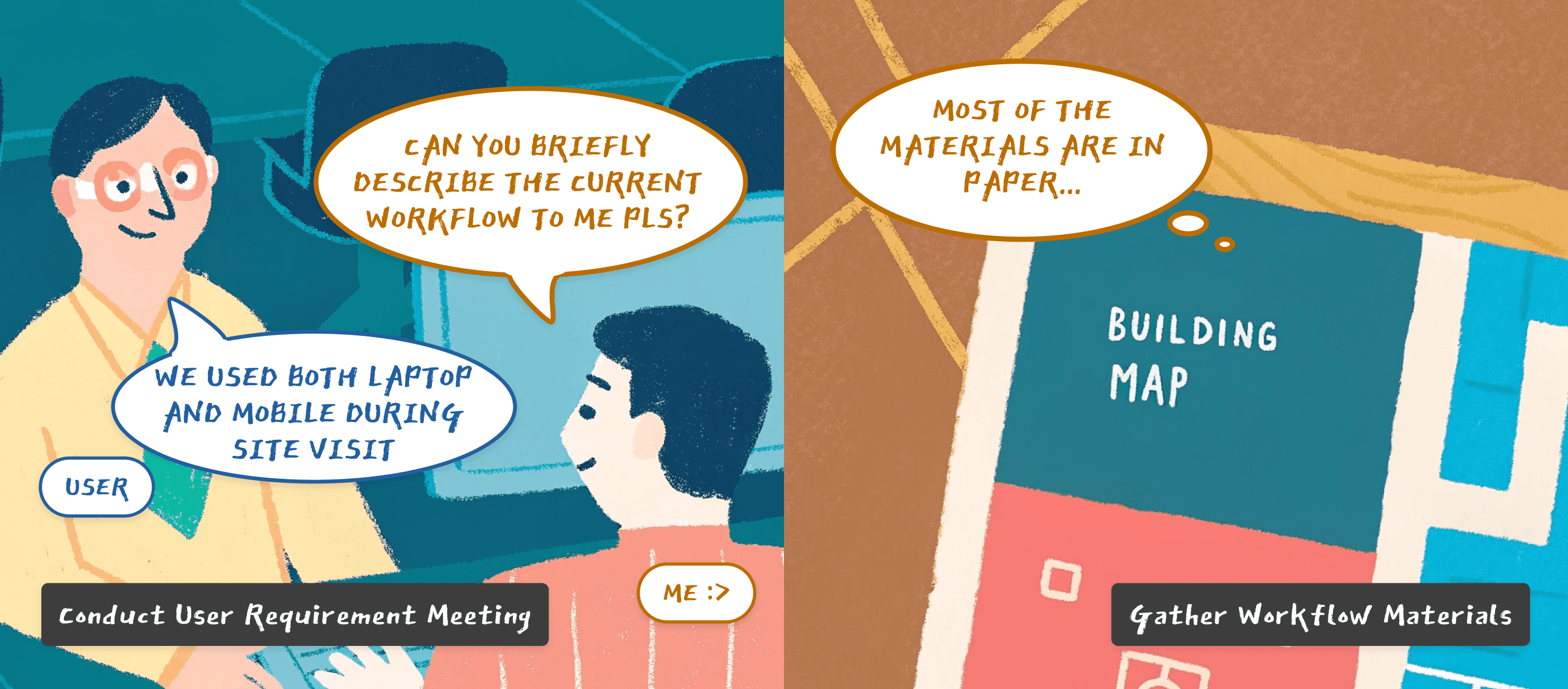
We began by conducting interviews and meetings with on-site teams from different industries to understand their current workflows and identify the core painpoints.
Through our analysis, we concluded 3 core pain points, which revolved around efficiency, data accuracy, and integration.
😨 Fragmented Workflows and Inefficient Coordination
Uncentralized site assignments and manual processes leads to inefficiencies for integration and site visit records sharing.
🔓 Cumbersome and Error-Prone Data Collection
Manual record of on-site data with paper form results in error-prone data collection with low data accuracy.
❌ Labor-Intensive and Disjointed Reporting Processes
The transition from on-site data to report is labor-intensive and disjointed, causing delays and potential errors in documentation and submission processes.
Enhance coordination and site visit records sharing across teams?
Reduce errors and improve efficiency in data collection?
Minimise delays and speed up the reporting process?
⋆。𖦹°⭒˚。⋆
● Challenge 1: How to enhance coordination and site visit records sharing across teams?
1. Standardized site data collection procedures that's similar to their current practices.
We recognise that the on-site workers rely on both the desktop and mobile devices to complete the site data collection.
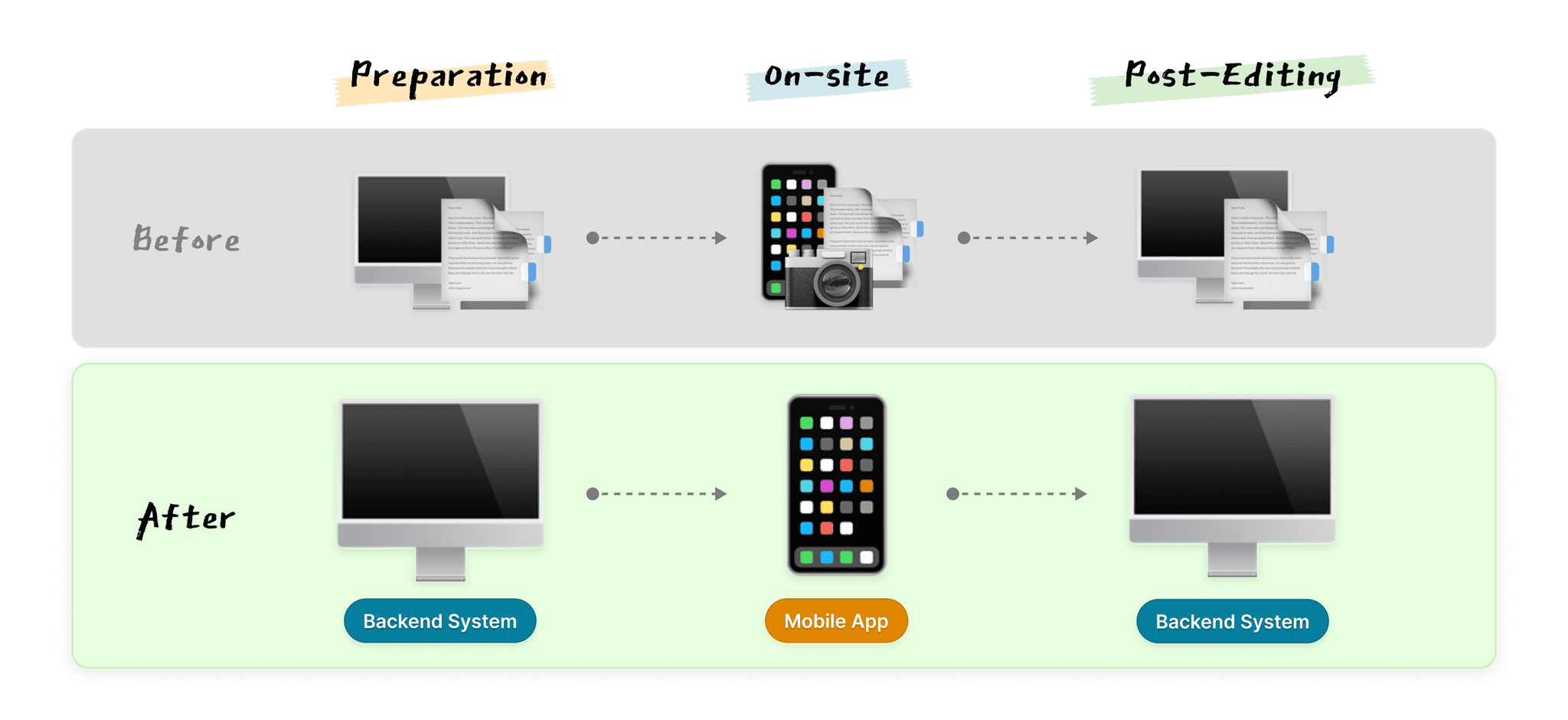
With this in our mind, we suggested a hybrid solution that seamlessly integrates mobile apps for on-site data collection with backend systems for data processing and reporting. This approach also ensures a smooth transition to the new system without disrupting their familiar routines.
2. Centralised the site visit records and display them in table view.
Initially, our design approach aimed to display the site visit records in a calendar view, like a schedule, which we thought would visually streamline planning.
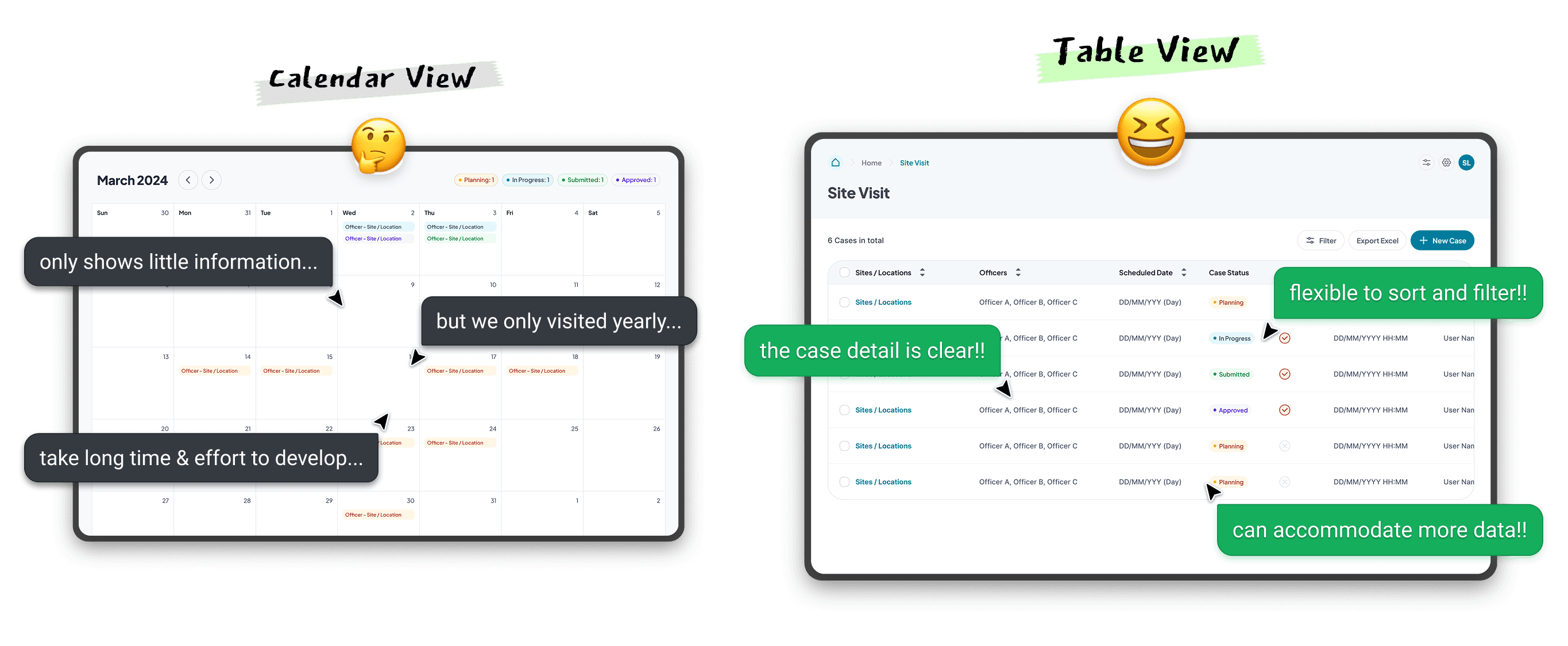
However, this required significant development effort and wasn't practical for the on-site workers. Besides, only little information can only be shown in the calendar, which is not user-friendly to check the details.
Instead, we chose a table view, allowing them to easily sort and filter by case status, date, teammate, and other criteria among their team and division, offering more flexibility in managing site visit.
⋆。𖦹°⭒˚。⋆
● Challenge 2: How to reduce errors and improve efficiency in data collection?
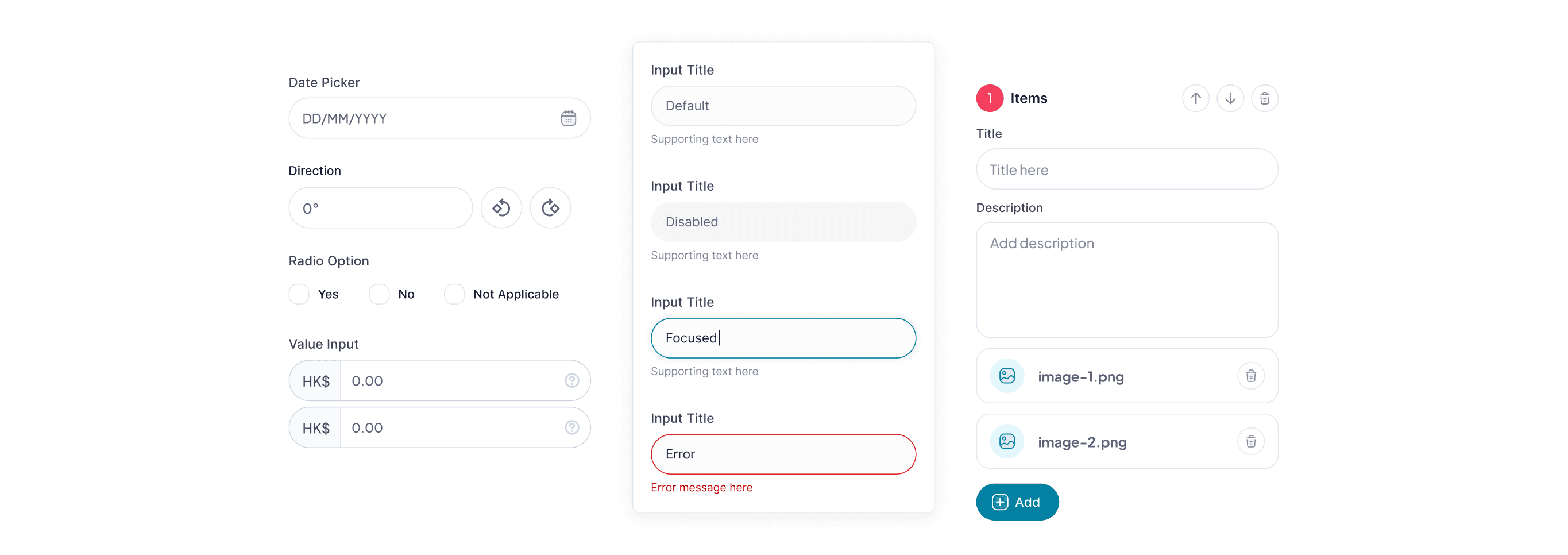
3. Utilised e-forms with built-in validation to record site data.
These e-forms guide on-site workers through the data entry process by using predefined fields, dropdowns, and checkboxes to minimize errors caused by manual input.
4. Mobile-first design approach is adopted for essential functions.
Since the mobile app is primarily designed for on-site data collection, we need to ensure the essential functions like image and photo location editors are manageable and intuitive in mobile.
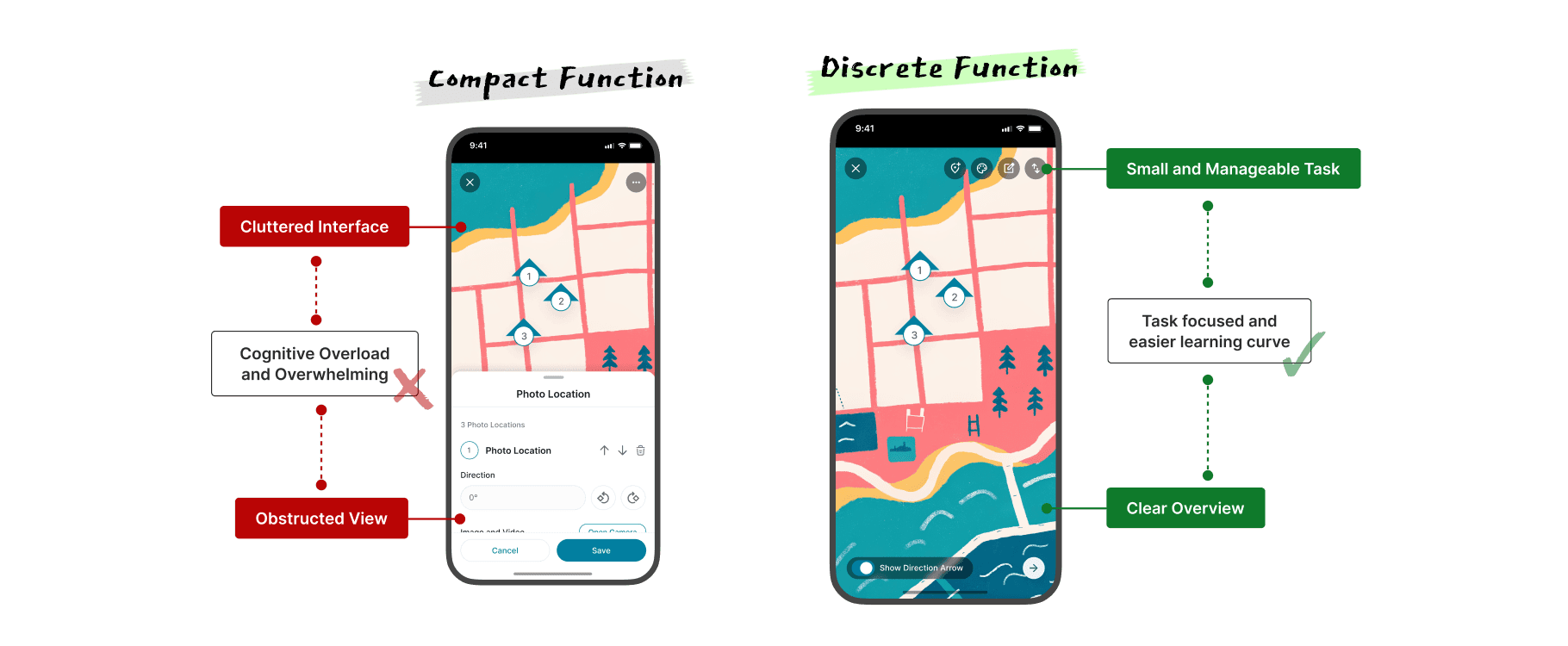
For example, we aimed to develop interactive maps that allows on-site workers to tab on the map directly to add photo location and edit site details. However, this cost lots of development effort and risked overwhelming users with a cluttered interface.
To improve it, we simplified the complex tasks into discrete functions. On-site workers can add photo locations, adjust details, or rearrange items independently, which reduced development costs and made the system more intuitive.
⋆。𖦹°⭒˚。⋆
● Challenge 3: How to minimise delays and speed up the reporting process?
5. Implement features that automate report generation.
The system can compile collected data, images, and notes into structured reports automatically, saving time and minimizing errors.
6. Enable bulk submission and bulk endorsement functions
On-site Workers can submit multiple reports at once, while Managers can review and endorse them in batches, significantly reducing the time required for processing large volumes of reports.

● Conclusion
This solution not only streamlines current operations but also lays the foundation for future growth and innovation.
By standardising the workflow, applying mobile-first design approach and automate the report generation, it enhances efficiency, reduces errors, and simplifies workflows.
Meanwhile, we also need to ensure that the design is scalable that can support business growth by handling increased data, users, and evolving needs. By providing a flexible platform, it not only resolves current challenges but also positions the business for sustainable growth and long-term success.
⋆·˚ ༘ * Ready for the next story? Let’s go! ⬇️ ₊˚⊹⋆